SPINE
Job path
Definition → pattern → job → effects → events. Behavior Trees hold business behavior. Graphs and product share named ports — not dual brains.

Palm is a Python-first orchestration organism on Behavior Trees — for humans mid-flight, coding agents on MCP, and work that must wait, resume, and live in more than one process.
Simple at the core. Powerful at the edges. Honest about what is ready. Grown in seasons — not frozen for comfort.
Truth-seeking
One start path. One continue path. Debt named, not hidden. Dual truth is a bug.
Human + agent
Wizards that backtrack. Assist and MCP that speak the same job path — not a second product.
Grown, not built
Themes close when homes are proper. Ambition over empty process. Experimental by choice.
Palm is not a bag of scripts. It is a living system with a job spine, planes for traffic, and eyes on itself — so work can be complex without becoming spaghetti.
SPINE
Definition → pattern → job → effects → events. Behavior Trees hold business behavior. Graphs and product share named ports — not dual brains.
VERBS
Completers announce themselves. Palm starts work from interests or continues parked jobs on the wait plane. No private resume hooks.
PLACE
Foreign bodies live as named places — spawn or adopt. Readiness gates honesty: dependency down → do not pretend the work can run.
SYSTEM
Named boot, supervisor continuous loops, multi-claimer work drain in-process. Residual multi-process claim is named — not marketed as magic.
EYES
Living top of the kernel: seat walk, projection, benchmark tools.
Doctor is packaging; vitality is physiology.
EDGE
CLI, Explorer, REST, MCP — transport and bind, not a second identity model.
Prefer palm_assist for agents.
Mature enough to dogfood. Honest about remainder. Built for people who will extend Palm downward through registries.
Choices, collections, backtrack, summary, transactional commit. Resume after days in a new terminal.
Assist-first operator door. Progressive docs (palm://agent/card). Same flows humans run.
Declarative resources, registry providers, compositional palm-calls-palm. Speak to systems without forking core.
Pure engine + runners (local, neonroot, host opt-in). Wizard steps, CQRS, reactive follow-up. Isolation is place — not provider soup.
Session plane, system boot, supervisor, vitality, multi-claimer drain. Inspect product door. Capacity with eyes open.
Pure palm/core. Register patterns, providers, storages, runners. Definition at the edge — not menus in the hub.
HOW PALM SCALES
Scale is not “more threads and hope.” It is two axes that must stay honest together — and one law that ties them: there is no place like home.
Business stays on Behavior Trees. Organism topology is a different care.
Same genome at every node — laptop all_in_one, cloud center, device realm, recursive server.
VERTICAL
Home points up. Truth home owns durable meaning. Projection mirrors it; when home is down, projection invalidates — work does not pretend. Organizations and realms are the same pattern, recursive: support that may have children of its kind. Mids propagate the center. Hop home for meaning — not mesh self-discovery as first law.
Children may have children. Ownership of meaning still belongs under the root palm.
HORIZONTAL
Workers, resources, containers, peer processes — spawn or adopt, health, readiness. Physical capacity spreads sideways across hosts and machines. Dependency down → do not drain that work yet. Multi-process is controlled life, not chaos.
Horizontal placement. Vertical ownership. Assembly makes the vertical real; workload keeps the horizontal honest.
RECURSIVE TREE (ILLUSTRATIVE)
logical depth · home up
Recursive supports. Places spread. Meaning still climbs home.
After the organism knows home, trusted paths (tunnels) let neighborhoods talk — app asks cloud for path to device, syncs, still has a home when truth is contested. Mesh feel. Tree law. No product copy — Palm’s own reach after assembly.
WHERE PALM IS GROWING
Assembly and Grove are not distant islands. They sit on one spine with tunnels in between — tool before dream, structure before org crown.
Seeds today. Themes when José opens them. Living work (datasets, training, TinyML) rides the place book the whole way.
1 · NEAR
Organism truth between boot and business. Authoritative DNA, definition-ready, place book used honestly. Optional structure seed stocks base shelves for an org or realm — not sector workflows.
2 · NEXT
Trusted reach after home is known. Neighborhood maps. Edge and cloud phenotypes. Path minting — not dual ownership, not gossip-first mesh.
3 · FAR
Many palms, org crown, continuous interface — when start, continue, place, and home are boring. Multi-org is natural: more supports under one root, or several trees.
What is live
Job path, start/continue, session, boot, supervisor, vitality, multi-claimer capacity, workload scout.
What is named
Assembly · tunnels · Grove seeds. Debt residual open in TECH-DEBT. Experimental, no LTS.
What never splits
One genome. Register downward. Proper homes over thin lies. Ambition over empty process.
Map: PALM.md · Assembly · Tunnels · Grove · Philosophy
From the living Explorer hub to the rich REPL and live dashboard — see how Palm feels when you run it.
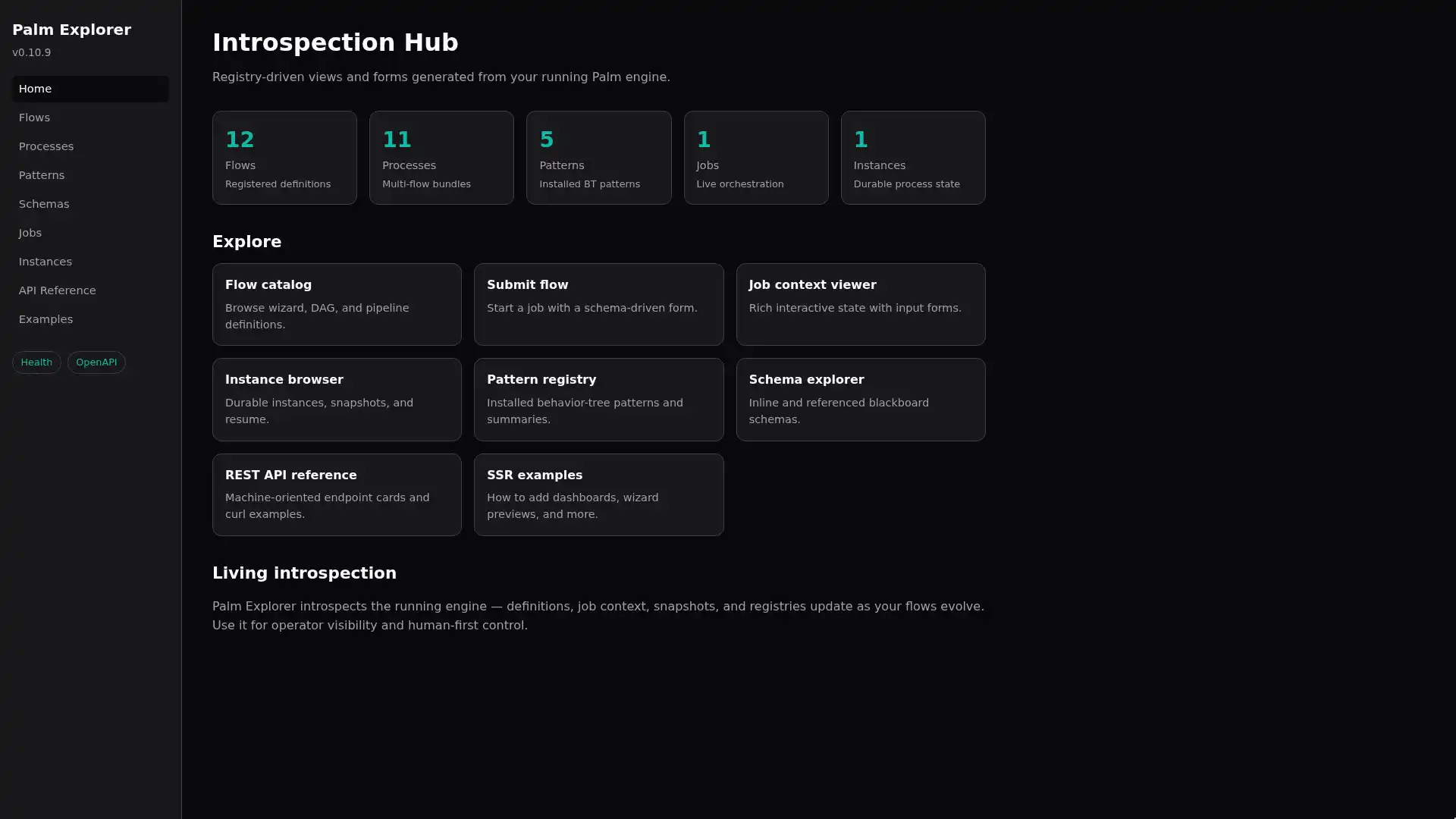
SSR hub for flows, instances, wizard workspace.
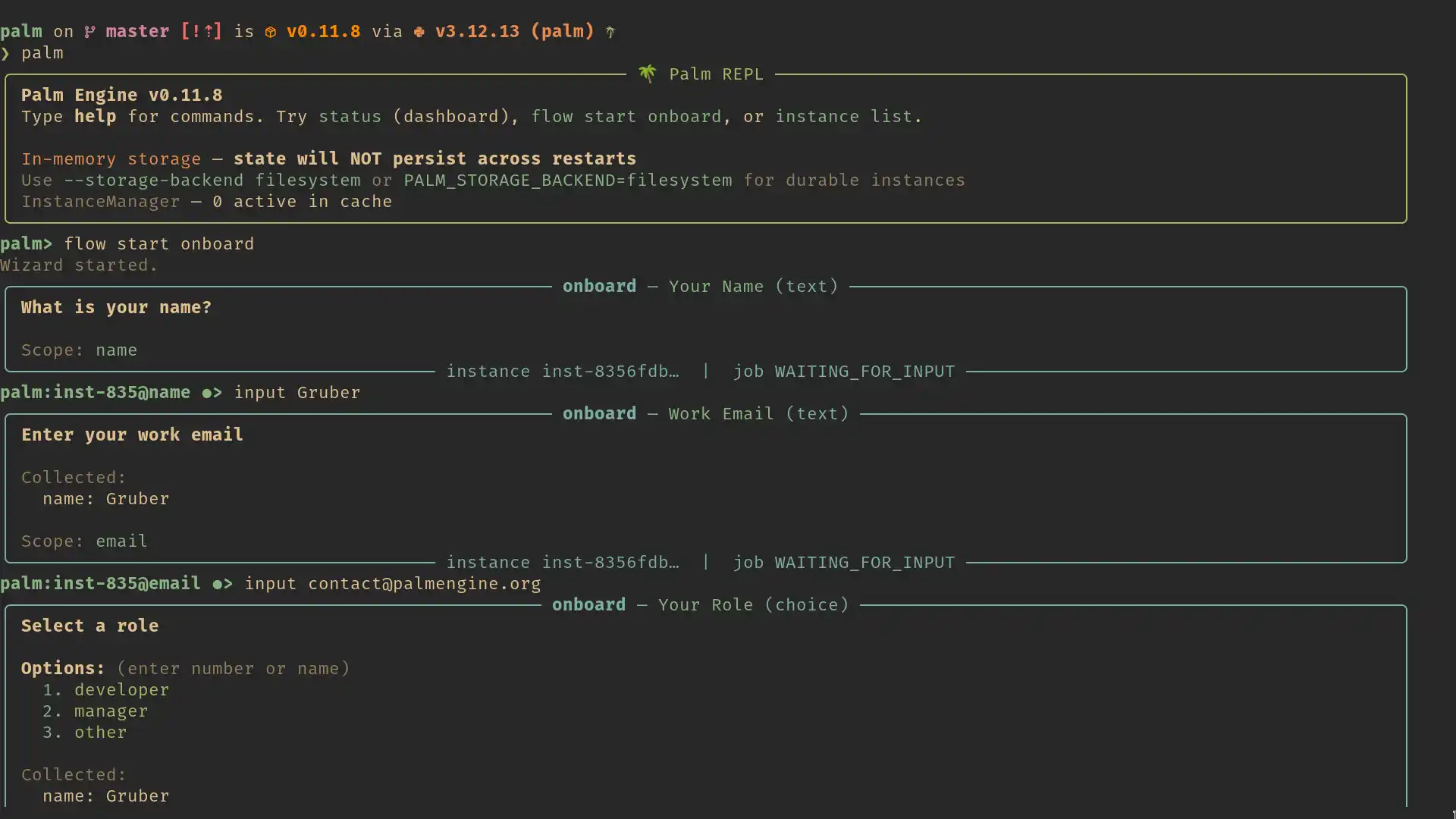
Interactive wizards with choices and backtrack.
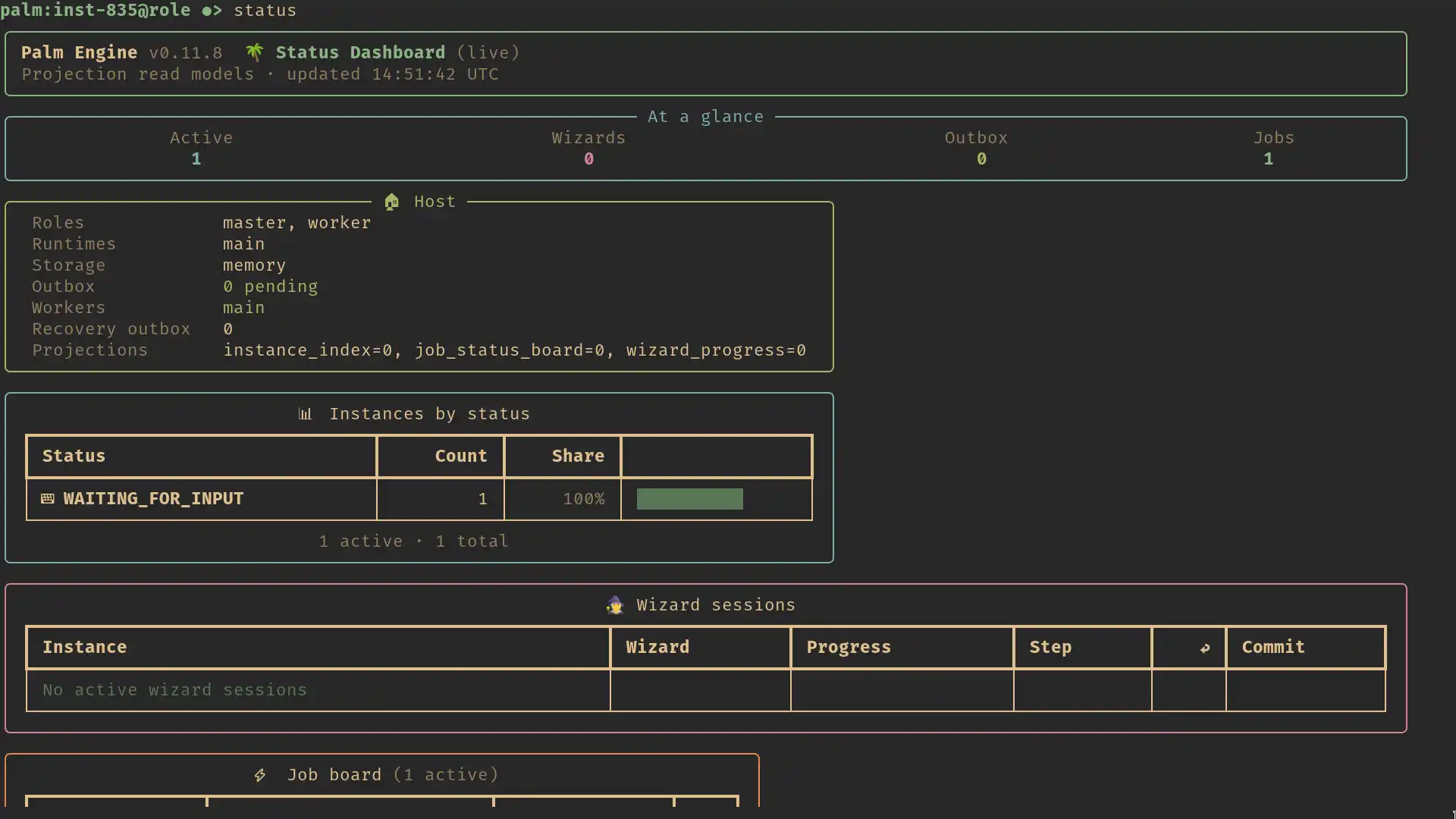
palm status — projection-backed overview.
PyPI name palmengine · import palm · CLI palm
pip install "palmengine[cli]"
palm version --full
palm doctor
palm status
palm replfrom palm.app import ApplicationHost, DeploymentProfile
with ApplicationHost(
profile=DeploymentProfile.all_in_one()
) as host:
job = host.submit_flow("onboard")
print(job.status)pip install "palmengine[mcp]"
# Prefer palm_assist — see docs/MCP.md
# PALM_MCP_IN_PROCESS=1 optional in-process surface
Progressive docs: resource palm://agent/card before the full skill.